
Offering Sponsorship Packages is a great way to attract large donations to your fundraiser!
You can create as many Sponsorship Packages/Tiers as desired, and participants can pay directly online.
Upon completing checkout, the sponsor will receive email confirmation of their purchase.
See a demo fundraiser with Sponsorship enabled here: Demo Fundraiser
Follow these simple steps to set up sponsorship on your fundraiser:
-
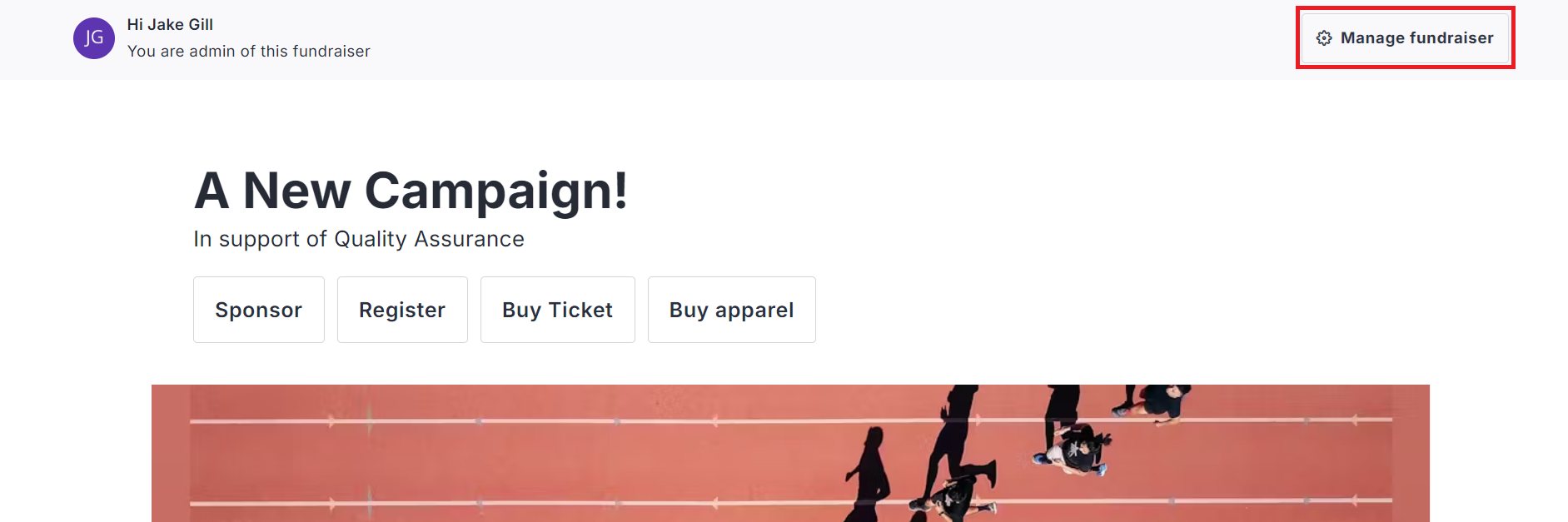
Go to your fundraiser, Log In, and then click Manage Fundraiser.
-
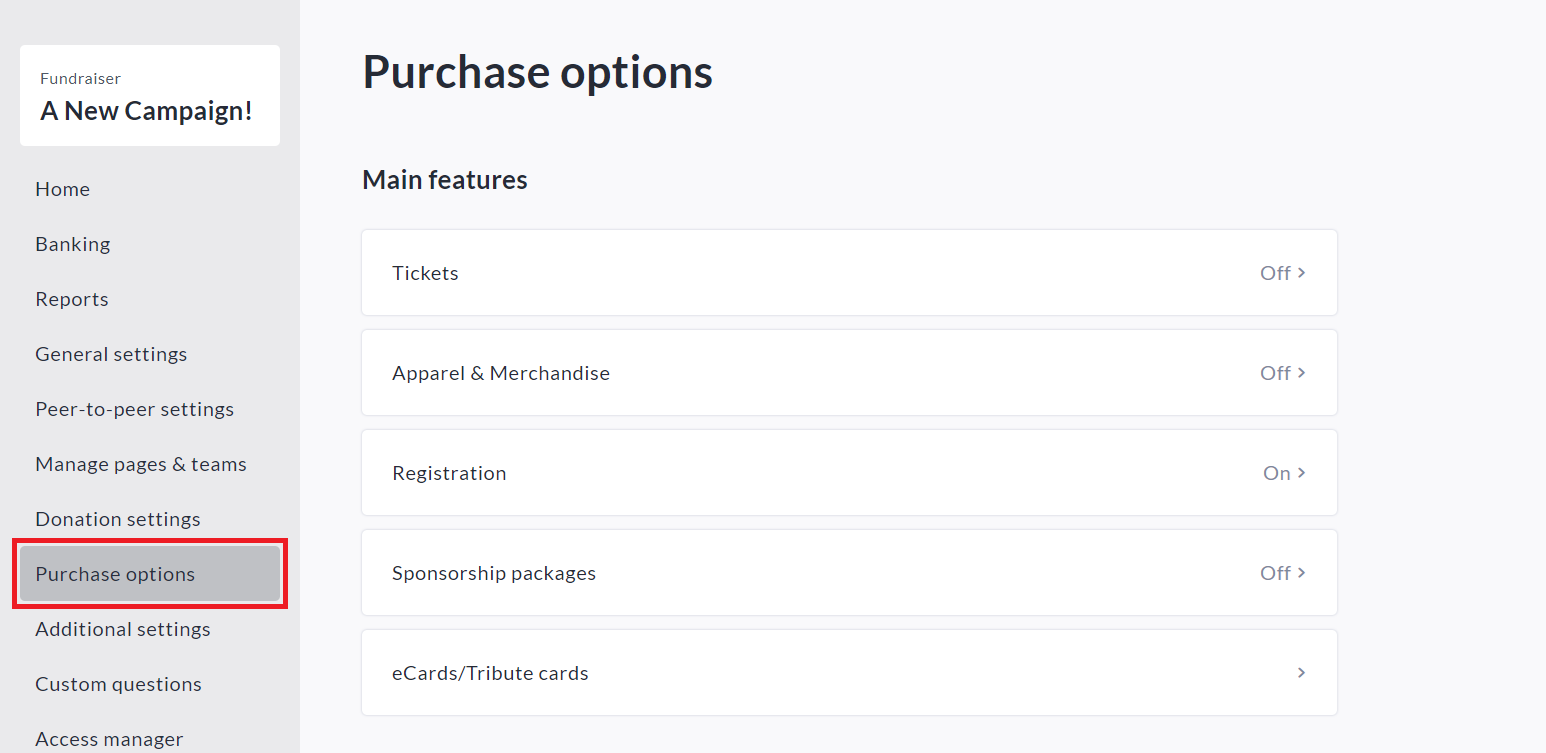
On the left sidebar, click Purchase Options.
-
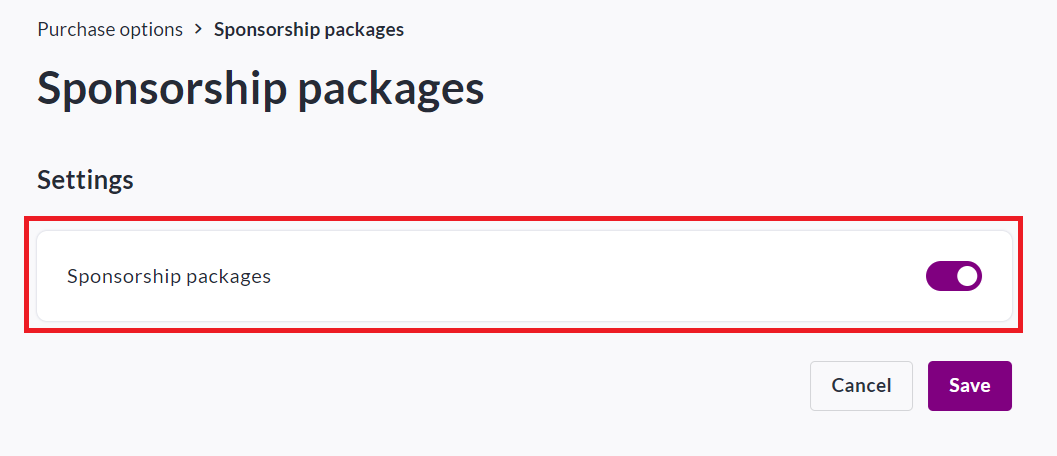
On the Purchase Options page, click Sponsorship Packages and toggle the feature on.
-
Click Save.
-
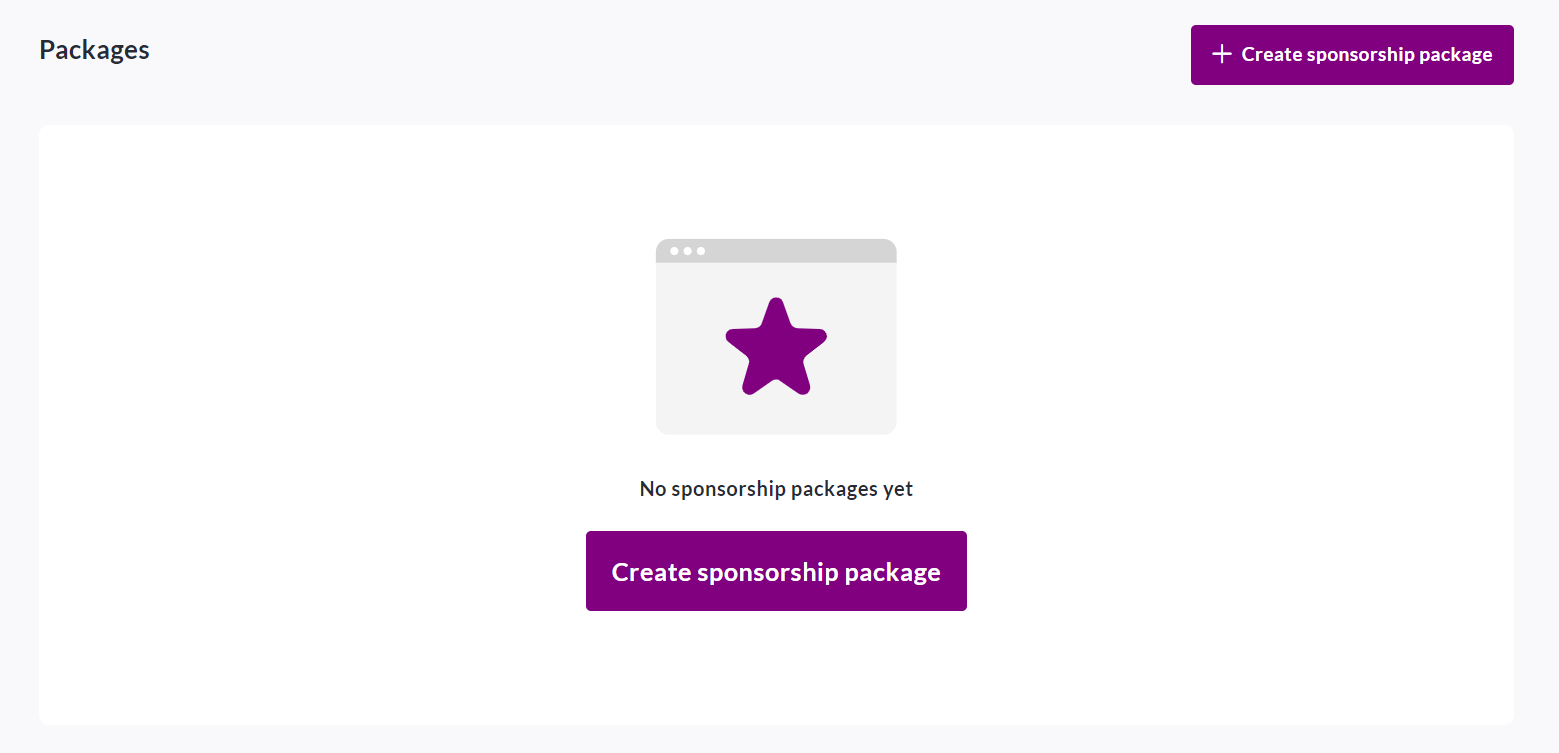
To begin setting up your sponsorship packages, scroll down and click Create sponsorship package.
-
Set a name, description, price (if desired) and a limit (if desired).
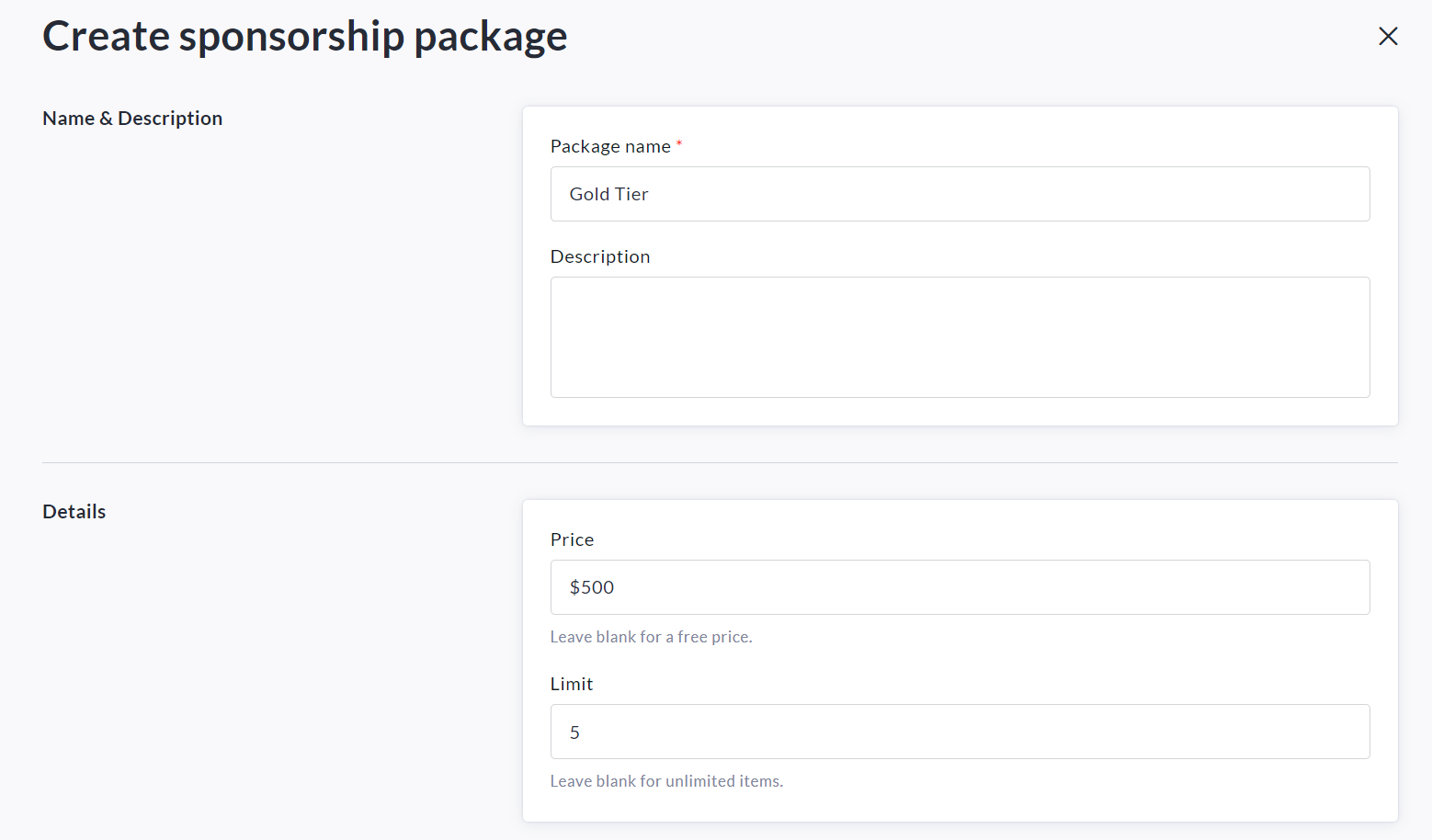
-
Scroll down and select your desired availability for the new sponsorship package.
*If desired, you may set a date to automatically close sales.*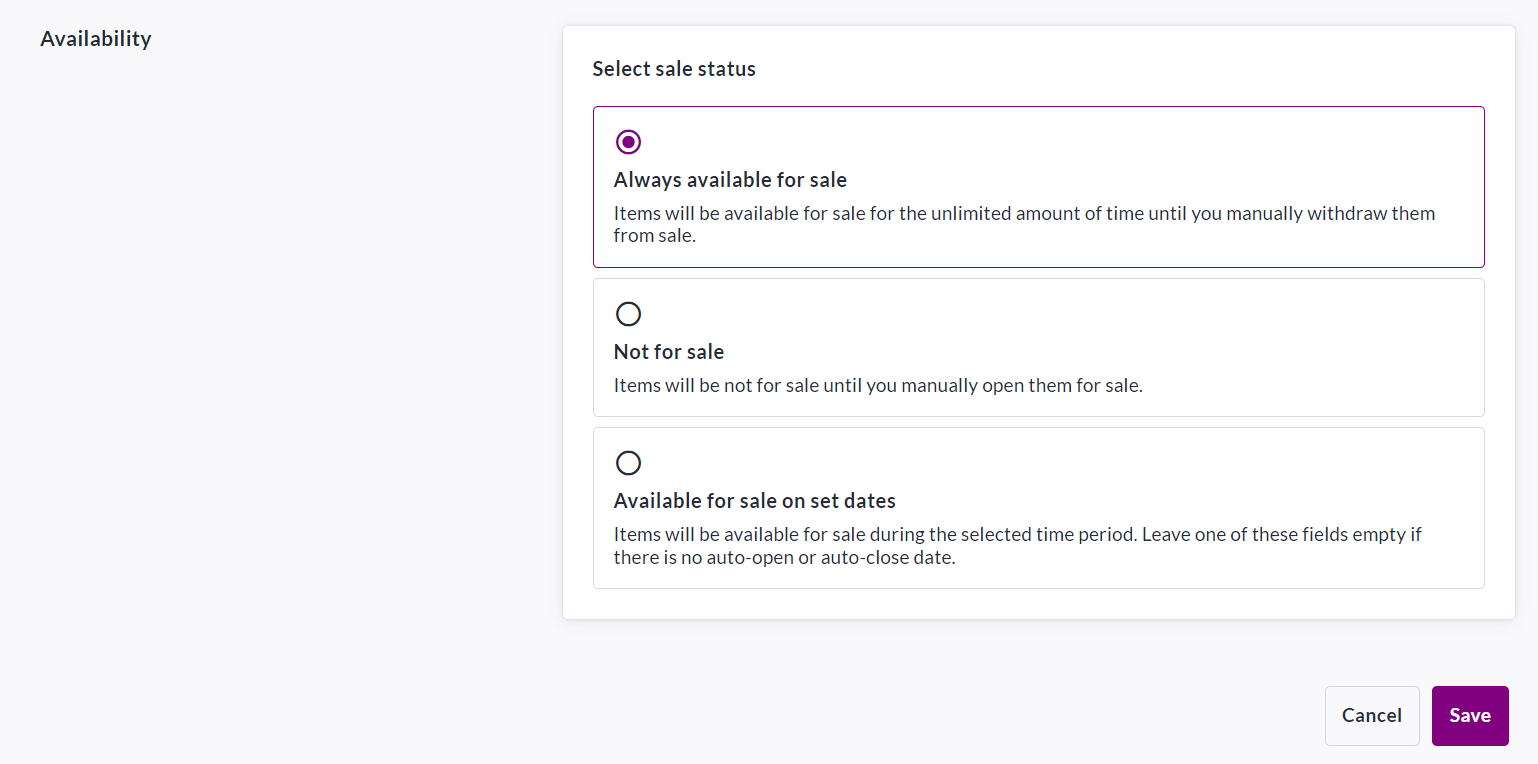
-
Click Save in the bottom right to confirm.
As the owner of a fundraiser you will have access to all sponsor details in your Donations Report. See the following article & video on how to access it: How to Access the Donations Report (Fundraiser Level)
Sponsors will receive a receipt / confirmation email once their purchase is complete.