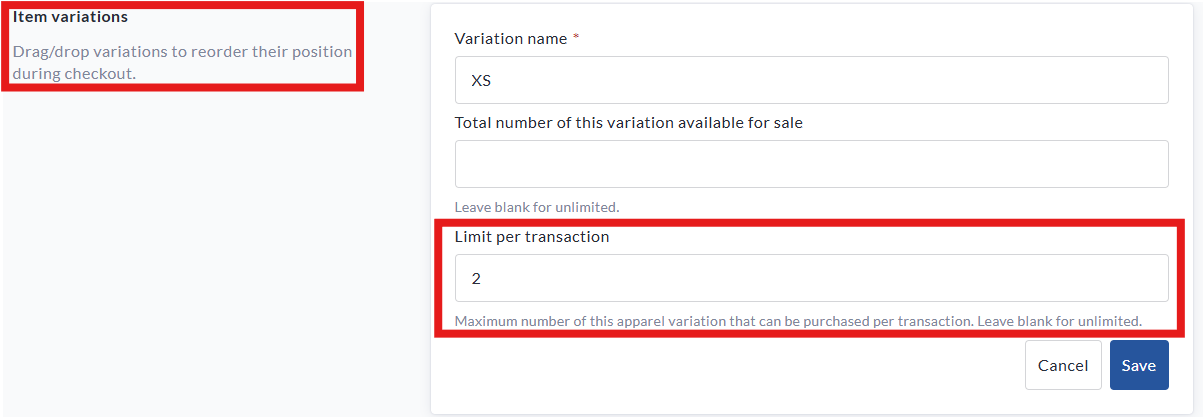
You can now set limits on the number of items a supporter can purchase in a single transaction - perfect for enforcing rules like "2 tickets per person" or "limit 1 hoodie per order."
This feature can be used for:
-
Tickets
-
Registration
-
Apparel & merchandise
How it works
When a quantity limit is set, users will not be able to add more than that number of the selected item to their cart. This is especially useful for capacity control or limiting availability of high-demand items.
How to Set a Limit
-
Go to your fundraiser and click Manage Fundraiser in the top-right.
-
From the left sidebar, click Purchase Options.
-
Choose one of the following categories:
-
Tickets
-
Registration
-
Apparel & Merchandise
-
-
Click on the item you wish to edit (or create a new one).
-
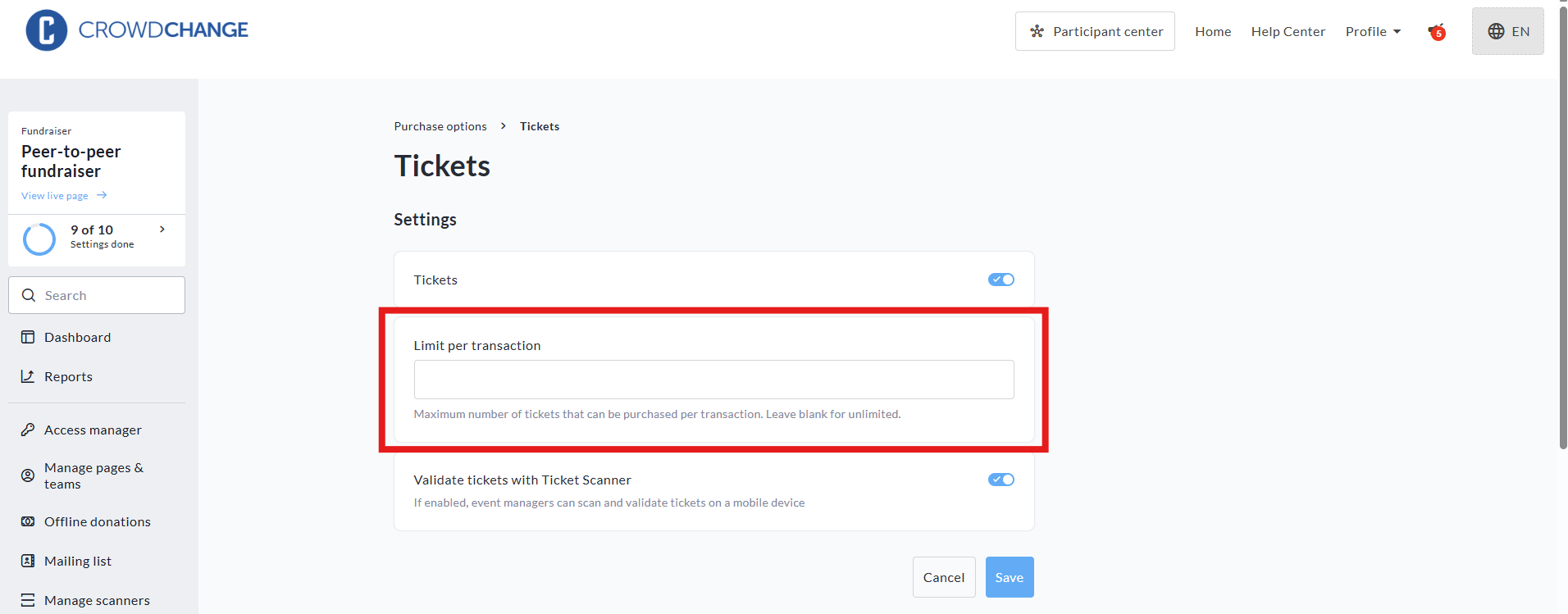
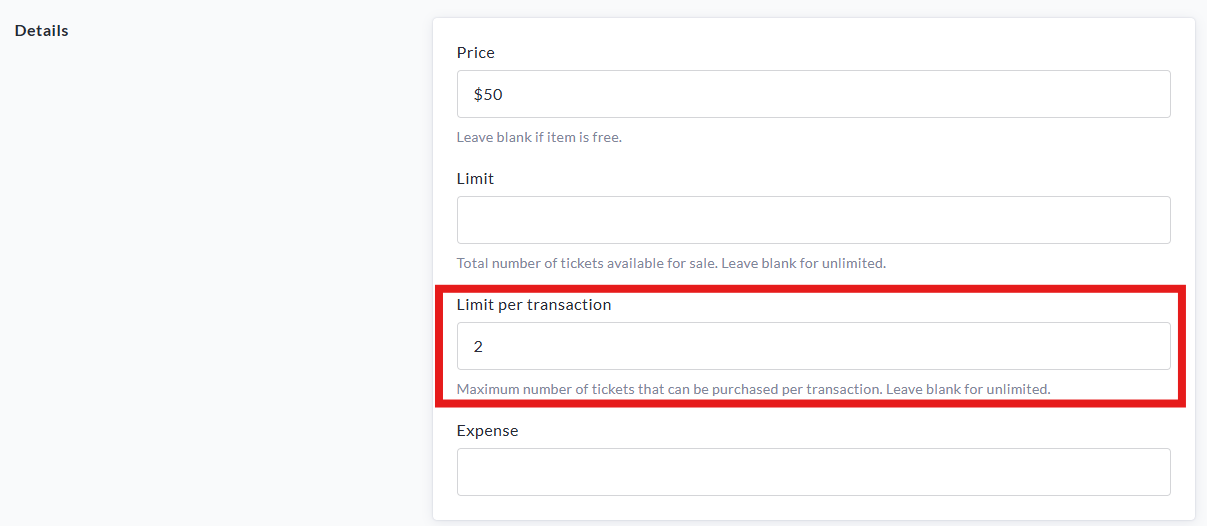
Find the field labeled Limit per transaction and enter the desired number.
(Leave this blank for unlimited.) -
Click Save.
📸 See screenshot example below from the Tickets section:
Limits can be set individually per item - for example, you could allow 5 tickets per transaction, but only 1 hoodie.
If an item has variations (like sizes), the limit applies across all variations. For example, a limit of 2 would allow the user to purchase 1 Small + 1 Medium, but not 3 of any combination.
Limits can also be applied per transaction to individual variations of a specific purchase option item - meaning you could limit popular sizes of a merchandise item if stock is low.