
Your Profile is the place to go for changing your name, email address, and password. It also allows you to view your fundraisers, tickets, receipts and more.
Access it in 3 simple steps:
-
Go to your CrowdChange site and Log In.
-
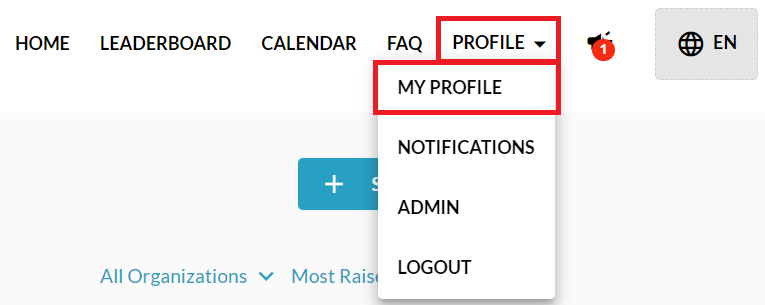
Click Profile in in the top right corner, then My Profile.
-
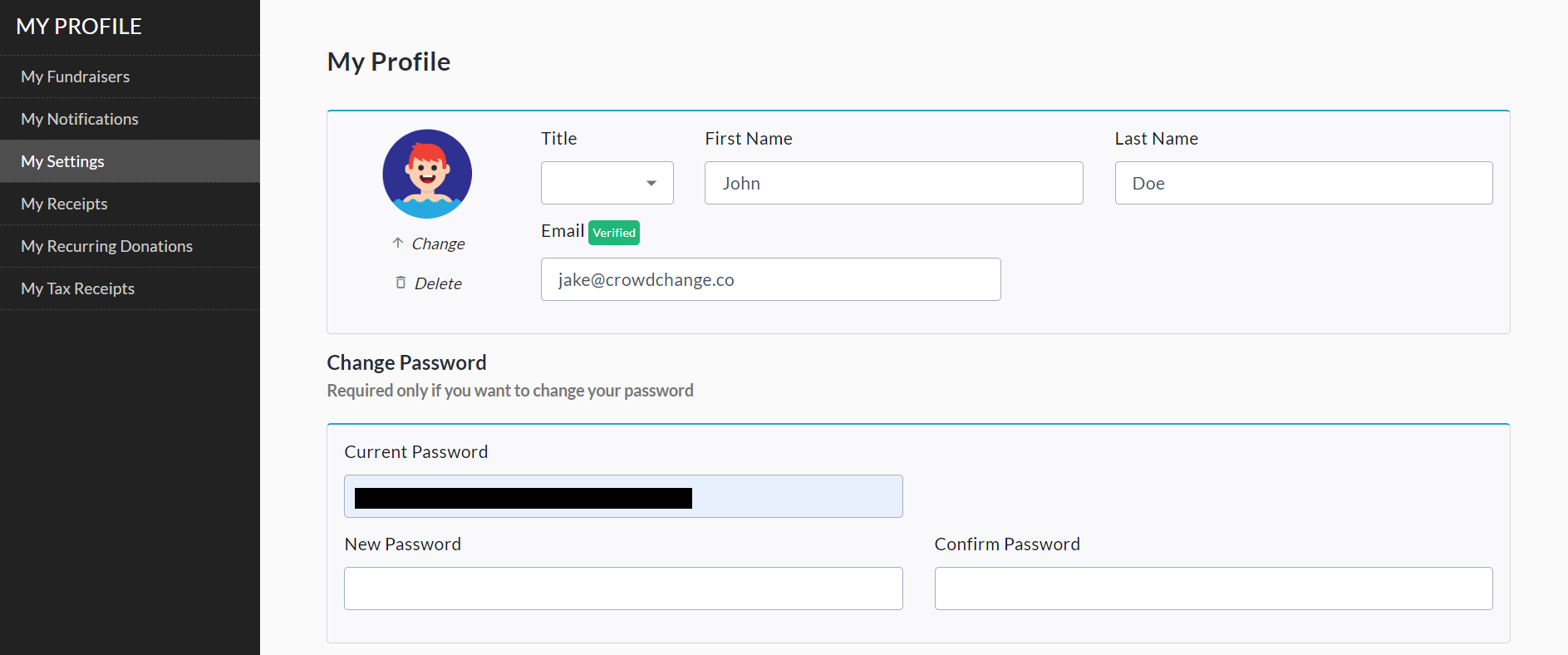
From your profile, you can change your name, title, email address, profile photo, and password.
-
Select a tab from the left sidebar to view other useful sections.
-
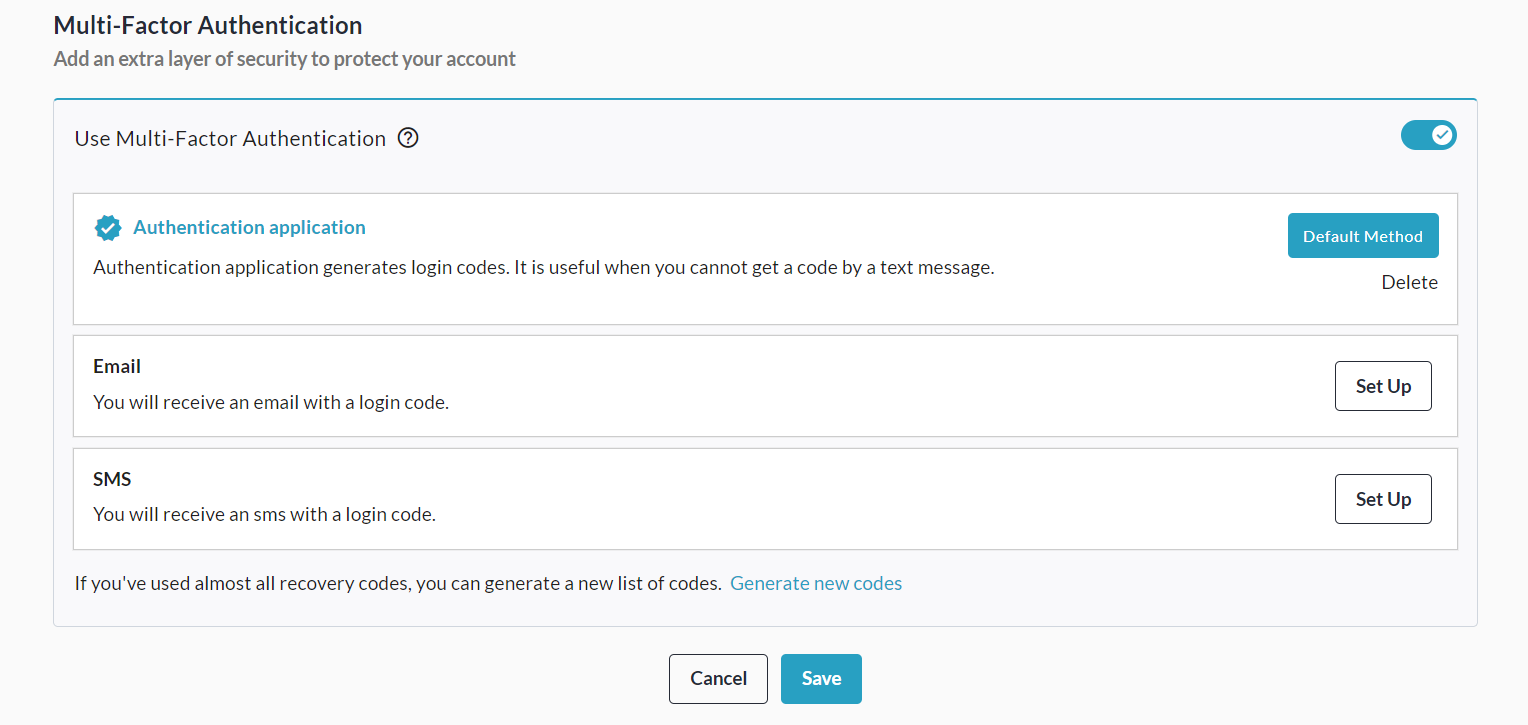
Scroll down within your Profile to set up Multi-Factor Authentication. We recommend using the Authentication Application option.
Sections
Here’s some information on what you can do in the other sections:
-
My Fundraisers - See all your fundraisers at a glance.
-
My Settings - Change your name, email address and password. You can also verify your email address here if you haven’t already.
-
My Receipts - View and get all your receipts here as well as download any tickets purchased.
-
My Recurring Donations - You can make changes to or cancel your recurring donations here. To update your payment method, click the pencil icon next to the last 4 digits of your credit card number.
-
My Tax Receipts - You can download all your tax receipts from here.