
You can save a lot of time sending email campaigns by creating custom templates within the Mailing List!
See also: How to Use the Mailing List
Follow these simple steps below to create a custom email template:
-
From your fundraising page, click Manage Fundraiser.

-
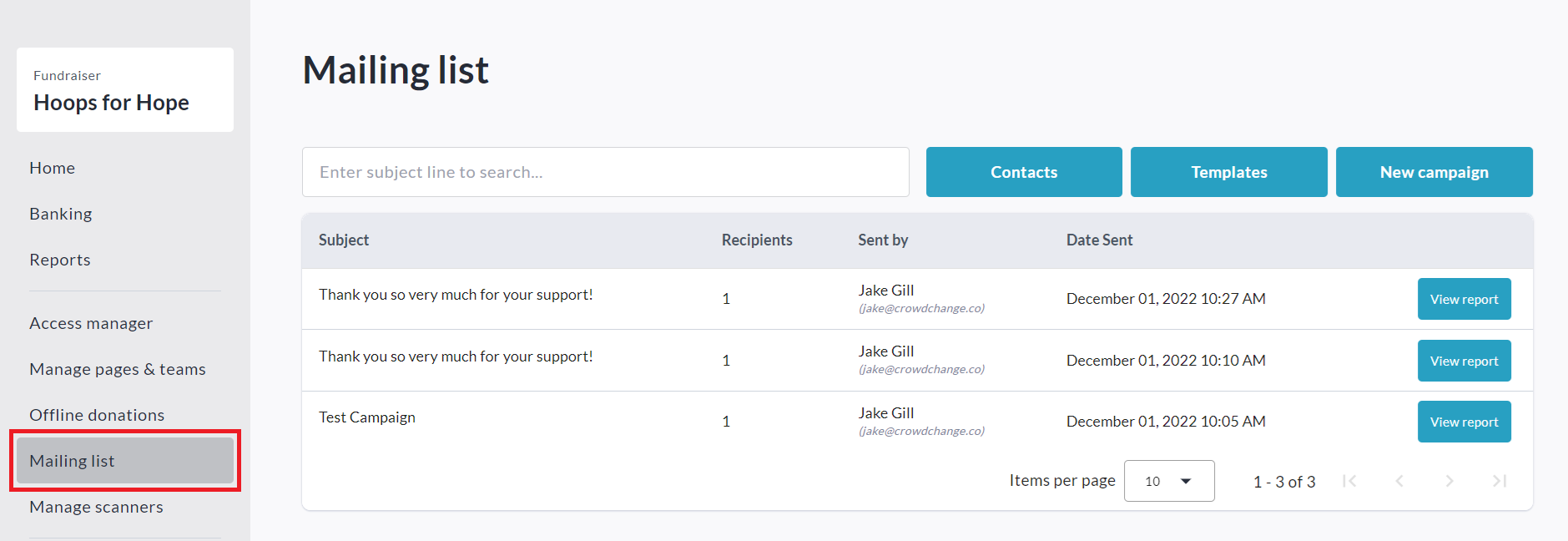
On the left sidebar, click Mailing List.
-
Click Templates, then Create New Template.


-
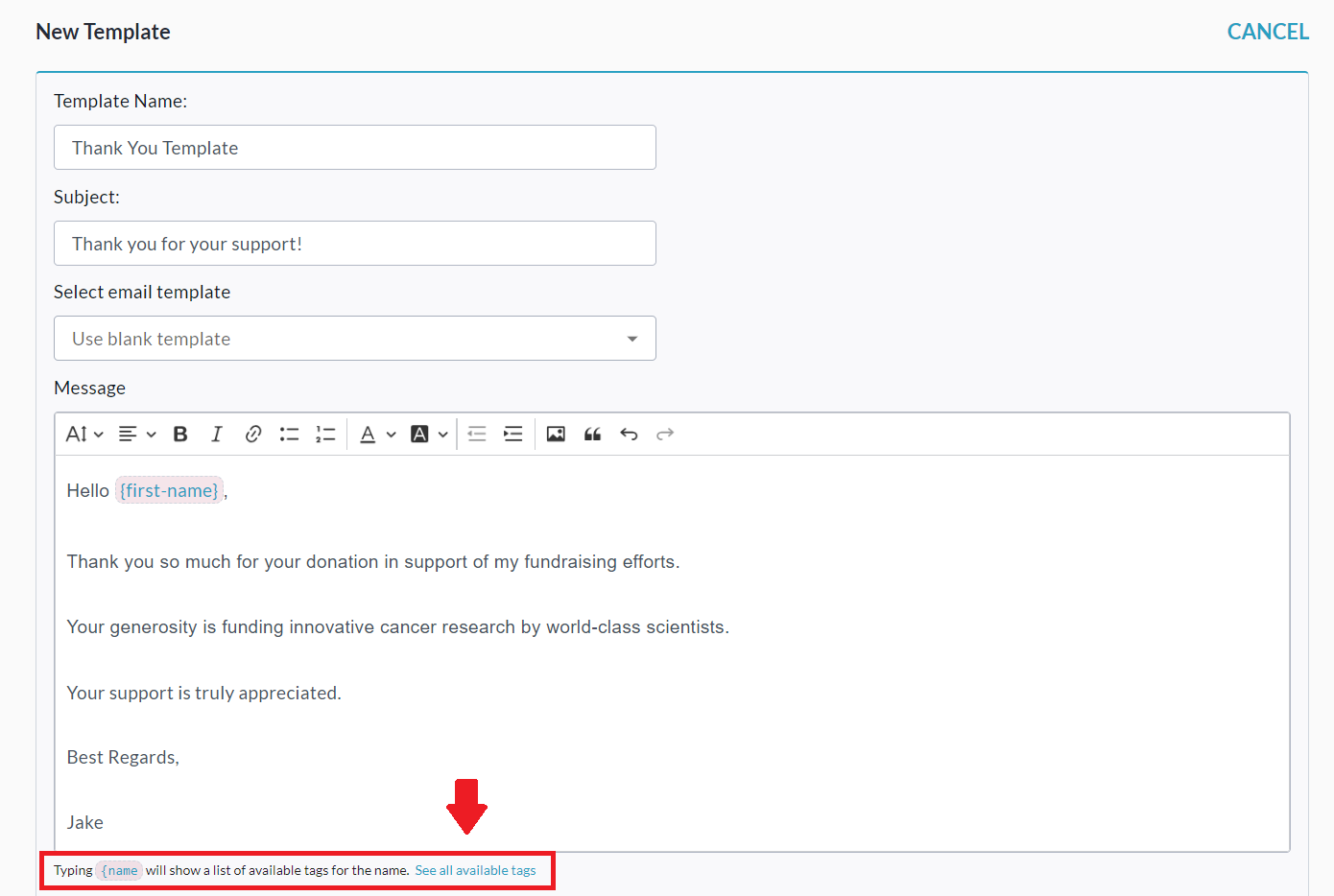
Set a Template Name, Subject, Message Body, and add any desired Dynamic Tags. For example:
-
Optional: Click Send Preview Email to get a preview.
-
Click Save to save the template.