
Editing your merchandise for sale is made super easy by following the steps below:
-
Go to your fundraiser, Log In, and then click Manage My Fundraiser.

-
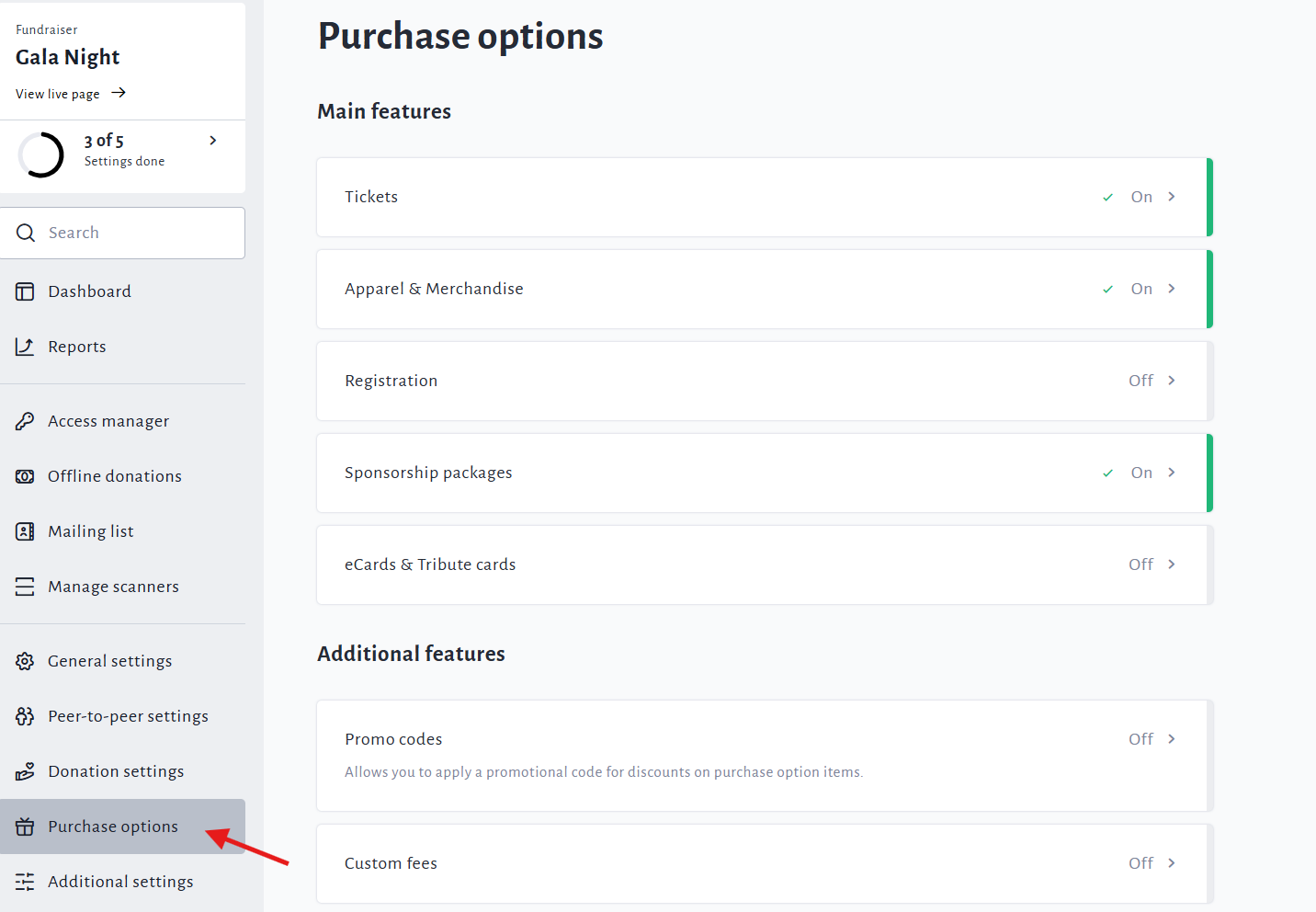
On the left sidebar, click Purchase Options.
-
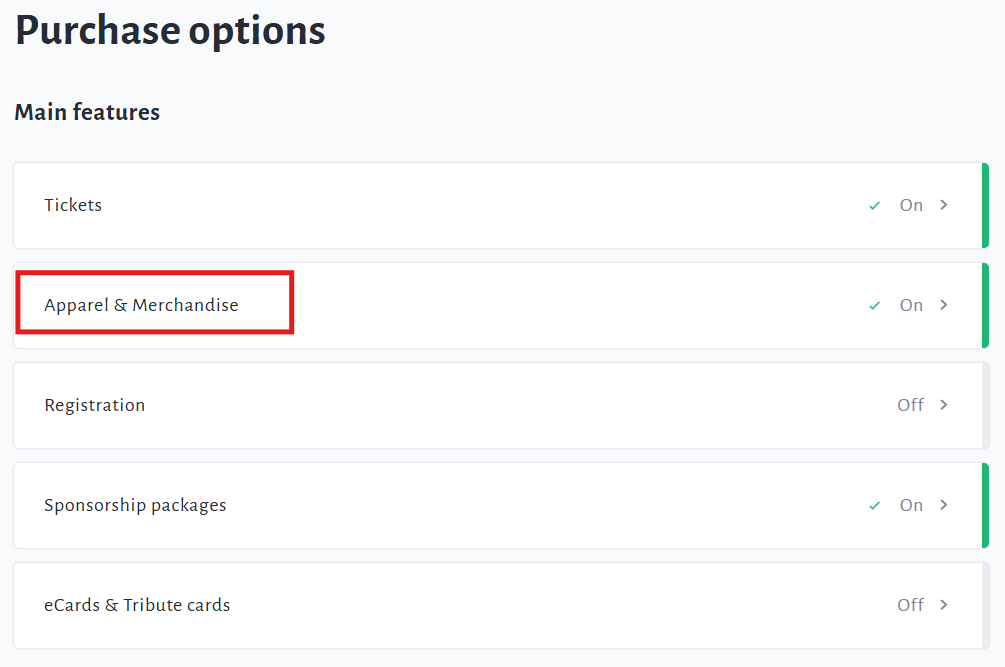
On the Purchase Options page, click Apparel & Merchandise.
-
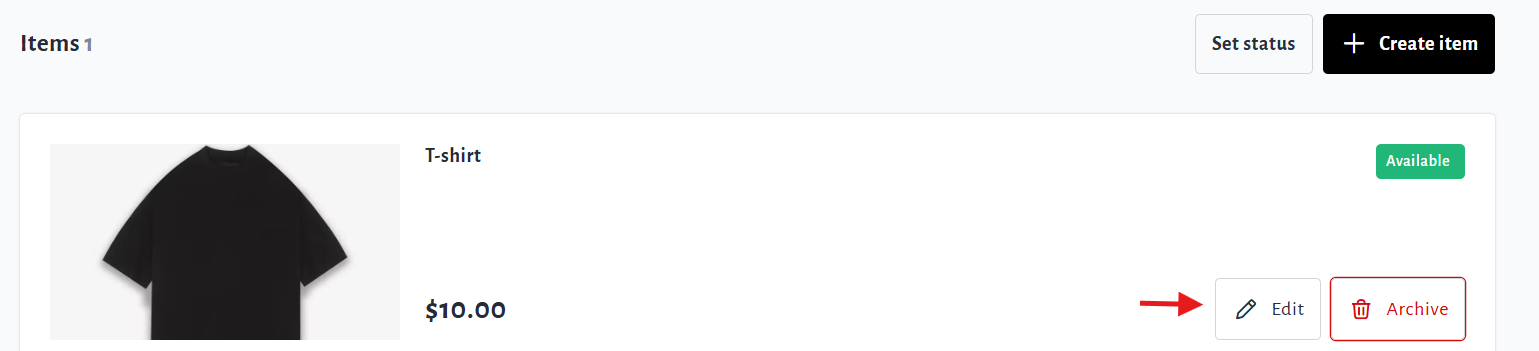
Scroll down and click on the Edit button of an item to make any updates needed.
-
Ensure to click Save after editing to confirm the changes.